
Name-Based Case Searches
For a Scotland County name search, the public route is the North Carolina eCourts Portal. Pick Smart Search. Type a party name or another basic criterion. If the name is common, set the location to Scotland County. The county moved onto Enterprise Justice, known as Odyssey, on October 14, 2024. Smart Search works without a public-user sign-in. Separate elevated roles exist. Those serve only people with legal authority.
- Open Portal and select Smart Search for a Scotland County public case lookup.
- Enter the known party name, case number, citation number, attorney name, or another basic search criterion.
- Choose Scotland County and add a case type, status, or filing-date range only after entering the basic criterion.
- Open the underlined case number that matches the Scotland County matter and read its Register of Actions.
Names do not always index the same way. The official Portal guide allows a wildcard * after a known piece of a compound or complex name. Not every business-name pattern fits that trick. Narrow a Scotland County search with facts you already know, not guesses about a person's case history.
| Field label | Type | Required | Scotland County use |
|---|---|---|---|
| Basic Search Criteria | Text | Yes | Use a name, record number, citation, attorney, business, cross-reference, or nickname. |
| Location | Dropdown | No | Select Scotland County to reduce statewide results. |
| Case Type | Dropdown | No | Filters include criminal, civil, family, estates, and special proceedings. |
| Filing Date Range | Date range | No | Use with the basic search to focus a Scotland County result set. |
Scotland Case Search Filters
Advanced Filter Options refine a search; they cannot run one alone. The official instructions put the basic criterion first. From there, a Scotland County searcher can layer in party-search criteria. Case status, case type, and filing dates can follow. Civil and family filters earn their keep. A common name would otherwise drag in unrelated Scotland County records.
The Portal offers many categories. Civil General, Civil Magistrate, Civil Foreclosure, Summary Ejectment, family matters, estates, and special proceedings are among them. A case-type filter cuts noise. A status choice that does not fit the case can quietly shrink your results. Stay broad enough to catch the case. Then verify details once the linked number opens.
Judicial Branch Portal training covers the public tools and the access roles. Scotland County File & Serve is a different animal. It handles legal filings, not public case searches.
Case Number Searches
A known number beats everything else as a Scotland County search key. Drop the full number into Smart Search. Click the underlined result. Read the case record to confirm the court division, parties, status, and event history. No Scotland County number pattern should be invented here. The honest example is the Portal result itself, the underlined case number. That link opens the Register of Actions, labeled Case Summary in some views.
Scotland County cases can sit in Superior Court, District Court, before a magistrate, or among estates and special proceedings. All of it lives under one clerk structure. The number identifies the case record better than any guess about case type. For a hearing, jump to the Hearings section. You can also use Portal Search Hearings with Scotland County selected.
Scotland Case Results Limit
Portal caps results at 200. A message that 200 results were returned is not an invitation to retype the same name. Add Scotland County as the Location. Then apply a filing-date range, case type, or status that the known facts support. The official guide tells users to narrow a crowded result set exactly this way.
A no-match result deserves the same caution. The Scotland County case might be misspelled. It might be filed in another county, restricted, sealed, expunged, or a paper document from before the eCourts transition. Portal silence proves nothing about a case's private details.
Note: Portal filters help a Scotland County search only with a basic criterion first. That can be a name, number, citation, attorney, business, or cross-reference criterion.
Case Search Results Explained
Click a Scotland County result. You land on the Register of Actions, or Case Summary. It is a chronological reference view, not a certified copy. The menu can show several views. Depending on the data, it offers Case Information, Assignment Information, Party Information, Case Events, Dispositions, Hearings, and Financial Information. Civil, family, probate, and mental-health cases may add a Causes of Action view.
| Case Information | Basic Scotland County case category, type, and status details. |
|---|---|
| Assignment Information | The system's court and assignment information for the case. |
| Case Events | The chronological register of public recorded activity. |
| Hearings | Setting information when hearing data is available. |
| Dispositions | Recorded outcome labels, when the case has one. |
| Financial Information | Displayed only when the Scotland County case has financial data. |
Scotland County public documents may open one at a time. Confidential, sealed, or restricted material stays withheld. Portal calls its data a public-access convenience; the Scotland County Clerk remains the source for official copies.
Scotland Case Summary Terms
Some terms on a Scotland County docket describe where a case stands, not its full story. The Register of Actions is the running event record. A disposition marks the recorded outcome category. A continuance postpones a court event, while a stay pauses the case by order or law.
- Pending
- The Scotland County case has not reached final disposition or still has active work.
- Appealed
- The record reflects review activity; the next trial-level docket can be in Superior Court for certain District Court appeals.
- Trial De Novo
- A new Superior Court trial following a qualifying District Court misdemeanor or infraction appeal.
- Reopened
- The case has later activity after an earlier closure or disposition.
- Transferred to Superior Court
- The Portal status indicates a move from the lower division to Superior Court.
Two Ways to Search: County and State
Scotland County runs no separate county-owned docket database. The Portal is the statewide eCourts layer and the ordinary online route for Scotland County. Location filtering focuses it on Scotland County without turning it into a separate local product. When the question is just a court setting, not the full case history, Search Hearings helps. It is the companion public tool.
| Portal statewide layer | Scotland County-focused search |
|---|---|
| Searches participating North Carolina eCourts case information. | Uses the same Portal with Location set to Scotland County. |
| Useful when county of filing is uncertain. | Useful when the Scotland County court is already known. |
| Smart Search and Search Hearings provide the public lookup tools. | The Clerk terminal and paper file remain local fallback channels. |
Start with Portal Search Hearings for a Scotland County docket search. That tool is the documented public fallback when a calendar page comes back empty. The Scotland County Judicial Branch page adds a calendar link alongside its other court services.
Scotland Case Portal Cutover
Scotland County moved onto eCourts Track 6 on October 14, 2024. After that cutover, the Judicial Branch named its online route. Portal, Enterprise Justice, and eFiling now cover indexes, abstracted case information, and public case documents. The Track 6 notice carries one detail every Scotland County searcher should catch. Documents that lived only on paper at go-live are different. They stayed in the clerk's office, not on the new system.
That history explains the gaps you may hit. Portal can hand you an eligible public case summary fast. But a historical paper document still runs through the clerk's terminal or file route at the courthouse. So does a public image that is unavailable. Any request for certification follows the same path.
Note: The Portal conversion changed how Scotland County court records are reached online. It did not turn a Portal screen into the official court record.
Scotland Case Index Limits
NC Judgment Search sits inside Portal as a narrower index tool. Search it by party name or case number. It can point you toward a Scotland County judgment record. Yet it is not a balance statement. Scotland County's official Portal guide sends users back to Smart Search and the Register of Actions for detail. For current totals, it points to the Scotland County Clerk.
The distinction matters. A judgment index is just one kind of case reference. Case Events or Financial Information, when present, can add context an index line leaves out. Need an official copy or a current clerk-maintained figure? A Scotland County clerk inquiry is the dependable route.
Which Cases Stay Restricted
Some Scotland County materials are walled off. North Carolina law blocks them from ordinary public case searching. Juvenile records are withheld from public inspection. G.S. 7B-3000 is the rule. Sealed, confidential, and restricted records stay hidden from ordinary public Portal users too. A qualifying criminal expunction can scrub case entries from public Portal access.
The personal-identifier redaction law shields specified details in public images and copies. So a Scotland County search result can look thin. A public case shell may still sit behind the thin result. The clerk can explain the access path for such a case, but a statute or court order still controls what may be released.
For the juvenile rule itself, read the official juvenile-confidentiality statute.
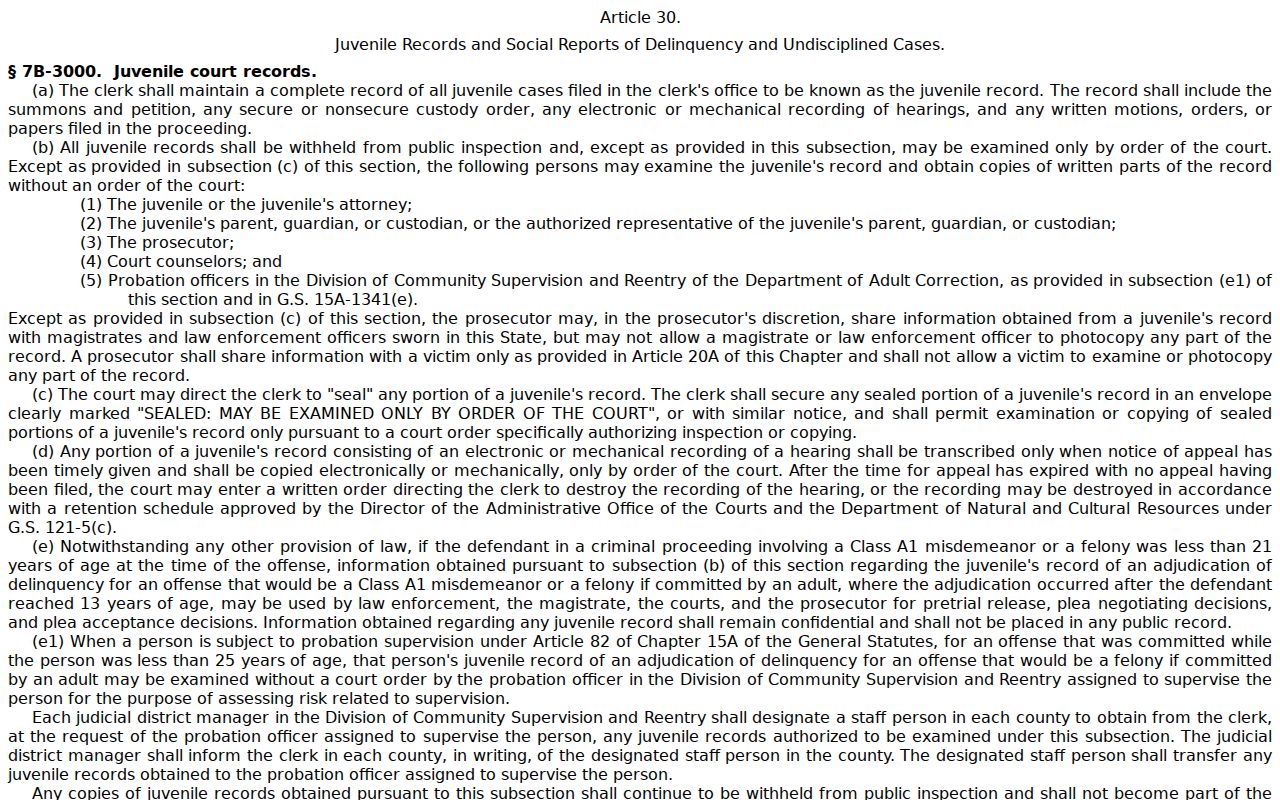
That statute is the reason a missing juvenile or sealed entry is not a search error. It is the law doing its job.
Scotland Case Terminal Fallback
Sometimes an eligible Scotland County case will not surface online. In that case, go to the Scotland County Clerk of Superior Court. State guidance puts a public self-service terminal in every clerk's office. Criminal searches there can run on a defendant name, case number, or victim or witness name. Civil, special-proceeding, and estate case lookup run there too.
Paper case files can be reviewed in the county where the case sits. Clerk staff copy pages for a statutory fee. Bring the Scotland County case number if you can. One quick phone call to the clerk pinpoints the official-copy route, though transcripts belong to a court reporter rather than ordinary clerk copies.
For the administrative side, turn to the NCAOC Public Records Request information. It spells out what that office covers.
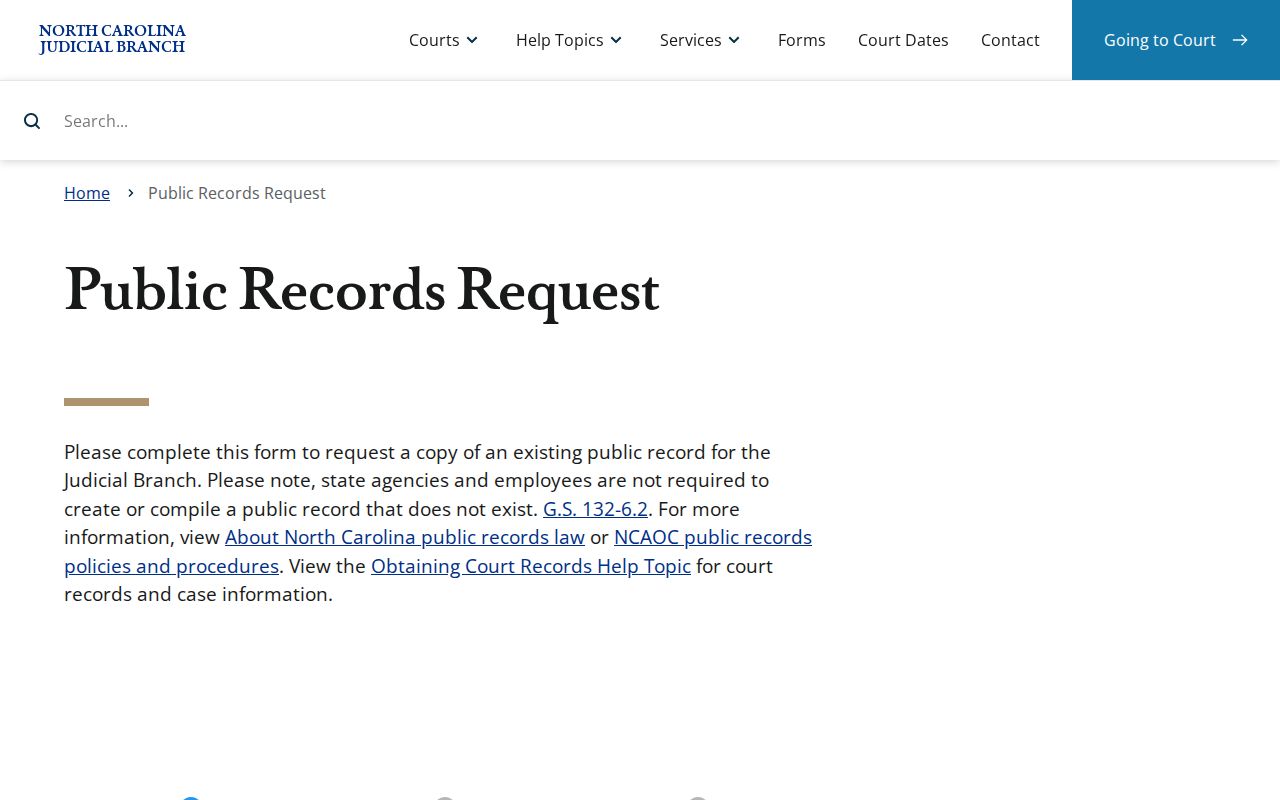
There is a catch, though. For a Scotland County case file, NCAOC says the county clerk, not its administrative-record form, is the right route.
Scotland Case Filter Limits
A Scotland County advanced filter never runs alone. Portal ties every filtered search to something concrete: a name, case number, citation, attorney, business, cross-reference, or nickname. The rule also stops you from assuming every status label means the same thing across case categories.
Public guidance tells Scotland County users to open the actual Case Summary after filtering. Then read whatever Case Events, Hearings, Dispositions, and Financial Information are available. A category label narrows results, but the label alone will not carry every fact the court record holds.
For what gets masked along the way, the personal-identifier redaction statute sets the rule.
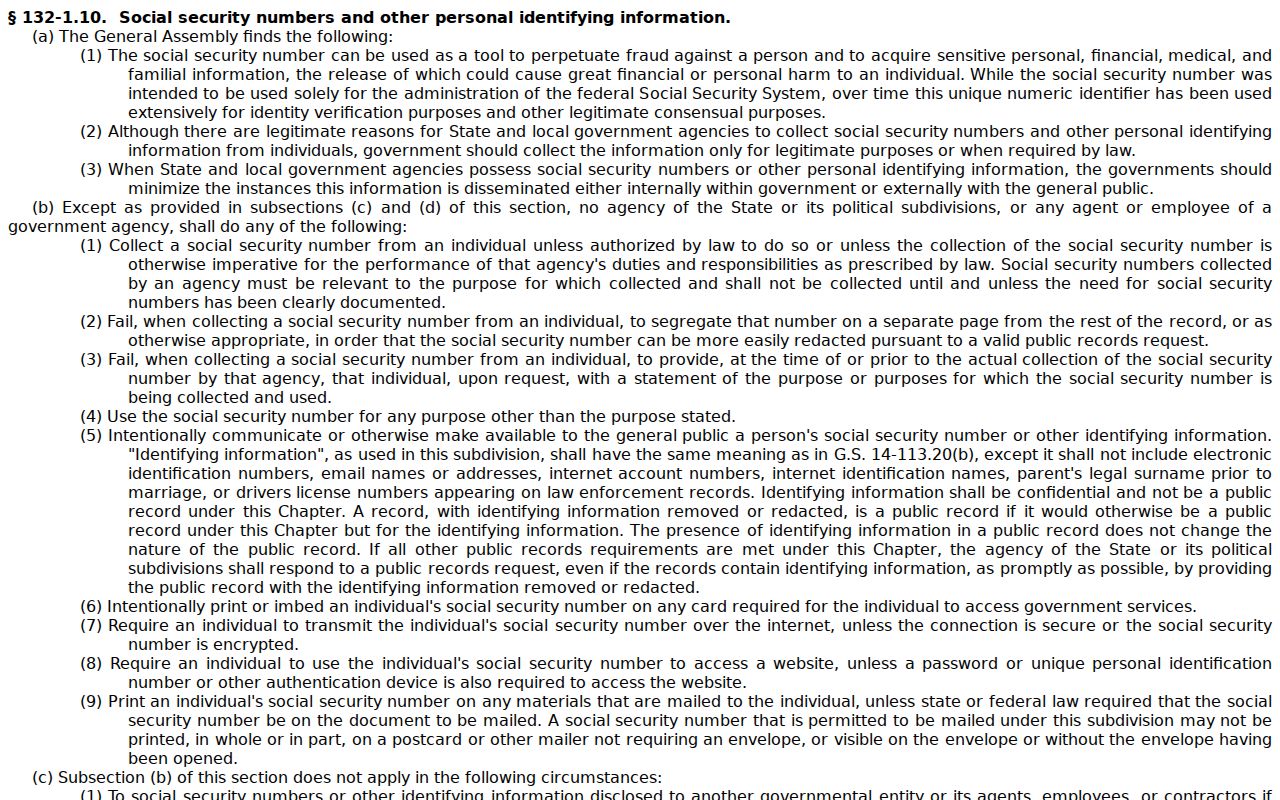
By restricting sensitive identifiers, that statute keeps a public Scotland County display from mirroring a court file. Some items simply stay off the screen.
Scotland Case Record Custodian
Portal earns its place for a quick Scotland County public lookup. It is expressly not the official court record. G.S. 7A-109 directs the clerk to maintain court records, files, dockets, and indexes, which makes the Scotland County Clerk of Superior Court the single holder for Superior Court, District Court, magistrate, estate, special-proceeding, criminal, civil, and judgment materials filed in the county.
Let Portal identify the case and its public entries. Then turn to the clerk for file inspection, a paper-era record, a plain copy, certification, or exemplification. The split matters most when you need the documents behind the Case Summary; Scotland County court case records lays out the copy routes and statutory fees.
The authority for this arrangement is the official court-record access statute.
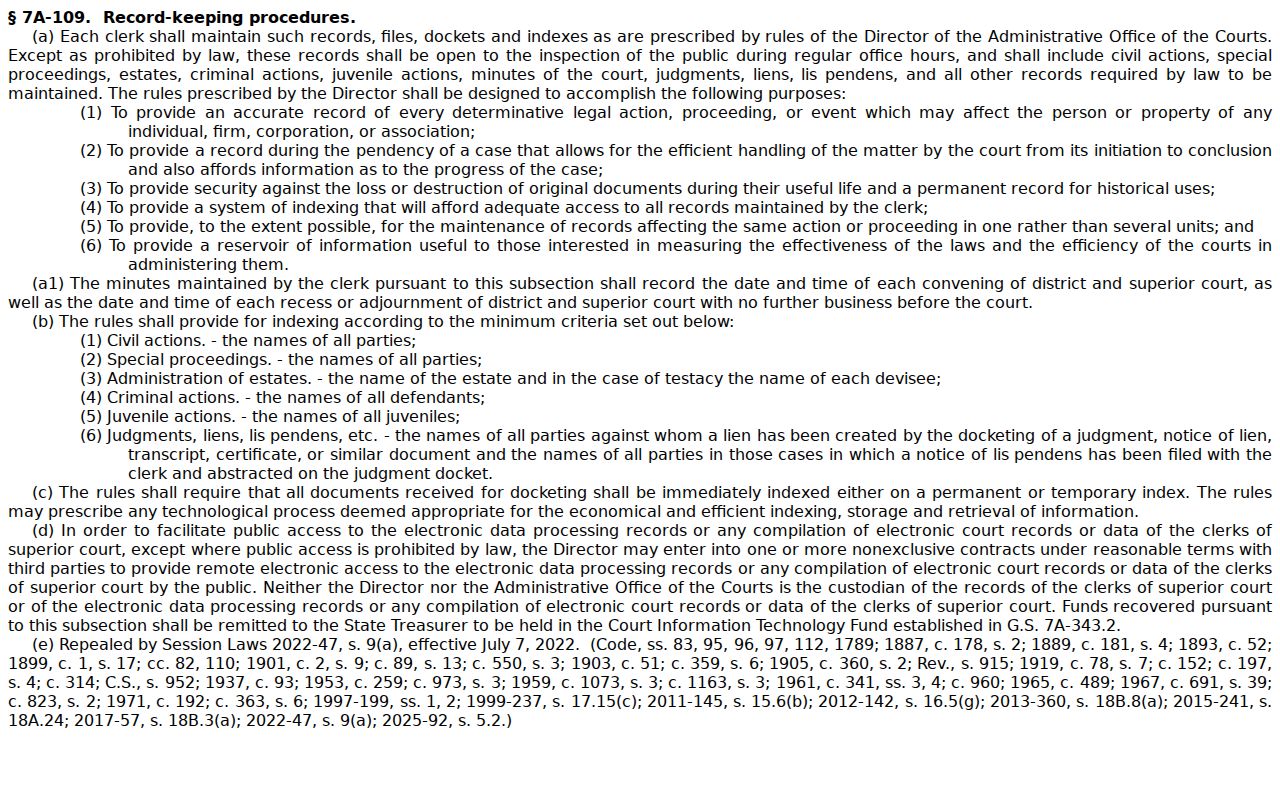
The clerk-held record stays authoritative in Scotland County. Portal is merely the quickest starting point.